4.8/5 on Trustpilot

Studio monitors are the second-most consequential purchase in a home studio after the audio interface, and the one most beginners get wrong by spending either too little or too much. Spend too little and you mix on speakers that lie to you about the bass, the high-end, and the stereo image — and your mixes translate badly the moment they leave your bedroom. Spend too much and you pay for resolution your room cannot reproduce.
The seven pairs below all sit under €500 and all get recommended consistently across r/audioengineering, gearspace, and the staff picks at independent music shops. We've stayed under €500 because that's the price point where the marginal improvement of another €200 stops mattering more than the marginal improvement of a single piece of acoustic treatment behind your desk.

Quick comparison
| Monitor | Best for | Woofer | Price (pair) |
|---|---|---|---|
| Yamaha HS5 | Best overall reference | 5" | €340–€380 |
| JBL 305P MkII | Tightest credible budget | 5" | €200–€240 |
| Kali Audio LP-6 V2 | Best value, hidden gem | 6.5" | €310–€360 |
| KRK Rokit 5 G5 | Bass-forward production | 5" | €320–€360 |
| Adam Audio T5V | Best high-end pick under €500 | 5" | €400–€460 |
| PreSonus Eris E3.5 | Smallest desks, tightest wallets | 3.5" | €110–€140 |
| IK iLoud Micro Monitor | Cramped rooms, portable setups | 3" | €310–€350 |
Three things to know about monitors before the list
Room size sets the upper bound on woofer size. A pair of 5-inch monitors in a 3 by 4 metre bedroom is the safe default. An 8-inch pair in the same room will overload the low end and force you to compensate during mixing — which produces bass-light mixes that sound thin everywhere else. If your room is genuinely small, the 3- and 3.5-inch monitors on this list are not a downgrade but a fit.
Distance from the wall matters more than the spec sheet. Every monitor on this list publishes a "rear port" or "front port" design. Rear-ported monitors need at least 20 cm of clearance from the wall to behave as designed; pushed flush against drywall they accumulate bass that the manufacturer never intended you to hear. Front-ported monitors are more forgiving and the better choice if your desk lives against a wall.
Most monitors are sold individually. The prices in the table above are per pair — Yamaha, KRK, Adam, Kali, and JBL all sell a single monitor at half the listed price, and most reviews quote single-unit prices. The exceptions on this list are the PreSonus Eris E3.5 and the IK iLoud Micro Monitor, which ship as bonded stereo pairs.
1. Yamaha HS5 — best overall reference

5-inch cone woofer, 1-inch dome tweeter, 54 Hz – 30 kHz, 70 W bi-amplified, rear bass-reflex port, XLR + TRS inputs, room control and high-trim switches
The HS5 is the modern descendant of the Yamaha NS-10, the white-coned monitor that sat on top of nearly every major-studio console for two decades. Engineers used the NS-10 not because it sounded good but because it sounded honest — anything mixed to sound right on an NS-10 translated to consumer speakers without surprises. The HS5 inherits that brief and is the closest you can get to an industry reference under €400.
What you hear from the HS5 is flat to the point of unflattering. The midrange is forward, the bass is restrained, the high end is unforgiving of a poorly EQ'd vocal. That honesty is the entire point: a mix that sounds good on an HS5 will sound at least acceptable on car speakers, laptops, and earbuds. The trade-off is fatigue — these are not the speakers for your evening Spotify session. The single caveat is room interaction: the rear-ported HS5 needs at least 20 cm of clearance from the wall to behave as designed.
Best for: producers who want the most-recommended reference monitor in this price band and are willing to mix on a speaker that doesn't flatter their music.
2. JBL 305P MkII — best on the tightest credible budget

5-inch woofer, 1-inch soft-dome tweeter with Image Control Waveguide, 43 Hz – 24 kHz, 82 W bi-amplified, rear-ported, XLR + TRS inputs, boundary EQ and HF trim
At around €110 each, the JBL 305P MkII is the lowest credible price-per-monitor on this list and the pair we recommend to anyone whose monitor budget is genuinely capped at €240. JBL inherited the design language of the M2 master reference monitor — a €15,000 mastering speaker — and pushed the same Image Control Waveguide down to the 3-Series. The waveguide widens the listening sweet spot, which matters in a bedroom because you do not always sit perfectly centred.
The 305P extends lower than the Yamaha HS5 on paper (43 Hz versus 54 Hz), but the bass is also looser and more flattering — mixes done on the 305P sometimes come out bass-light on more accurate speakers. The fix is to spend a few weeks learning the speaker. JBL's boundary EQ switch, which subtracts low-mid energy when the monitor sits within 30 cm of a wall, helps in bedrooms with no choice but to push the desk against drywall.
Best for: first-time monitor buyers with a hard €240 ceiling who would rather start mixing on imperfect speakers than wait until they can afford the HS5.
Where to buy on JBL Professional →
3. Kali Audio LP-6 V2 — best value, the hidden gem

6.5-inch woofer, 1-inch soft-dome tweeter with 3D Imaging waveguide, 39 Hz – 25 kHz, 80 W bi-amplified, front-ported, XLR + TRS + RCA inputs, eight boundary EQ presets
Kali Audio launched in 2018 as a company built by ex-JBL engineers, and the LP-6 is the speaker that earned the brand its reputation. The V2 revision tightened the bass response and refined the waveguide; the result is a 6.5-inch monitor that holds its own against speakers twice the price and gets cited in reviewer shootouts as the budget pick that surprises everyone.
The standout feature against the Yamaha and JBL is the eight-position boundary EQ on the back panel. Each setting compensates for a different desk-and-wall placement scenario — corner, on-desk near a wall, on a stand in free space, and five variations in between. For a bedroom producer who cannot move the desk, this is the cheapest acoustic treatment money can buy. The front port is the other quiet advantage: the LP-6 V2 works pushed close to a wall in a way the Yamaha HS5 and JBL 305P do not. The trade-off is a slightly more flattering low-mid — read it as: better speaker for finishing mixes, slightly worse for diagnosing what is wrong with them.
Best for: bedroom producers with awkward room placement who want the largest defensible woofer at this price.
4. KRK Rokit 5 G5 — best for bass-forward production

5-inch Kevlar woofer, 1-inch Kevlar tweeter, 43 Hz – 40 kHz, 55 W bi-amplified, front-ported, XLR + TRS + RCA inputs, on-board DSP with 25 graphic EQ presets and an LCD readout
The yellow-coned Rokit has been the default monitor for hip-hop and electronic producers since the early 2000s, and the G5 generation is the version that finally addresses the criticism the older Rokits earned: hyped bass that lied about the low end. The new DSP-driven correction tightens the bass response, and the on-board graphic EQ with 25 presets lets you tune the speaker to your room without external hardware.
What still distinguishes the Rokit from the Yamaha and Kali is a deliberate low-end emphasis. The bass is not flat; it is generous. For producers working in genres where the kick and 808 are the centrepiece — drill, trap, dubstep, house — that emphasis matches what listeners will eventually play the track through. For producers working in genres where bass sits politely under everything else — folk, indie, jazz — the Rokit will fool you into mixing your low end too quiet.
Best for: hip-hop, EDM, and bass-music producers who want a speaker that flatters the low end and includes built-in room correction at this price.
5. Adam Audio T5V — best high-end pick under €500

5-inch polypropylene woofer, U-ART folded ribbon tweeter, 45 Hz – 25 kHz, 70 W bi-amplified, rear-ported, XLR + RCA inputs, high- and low-shelf trim controls
Adam Audio is the German monitor brand whose flagship S-Series sits in mastering rooms across Europe. The T5V is Adam's attempt to bring the brand's signature folded-ribbon tweeter — the U-ART — into a price band normally dominated by dome tweeters. The U-ART moves more air per stroke than a dome of the same size, which produces a high-end response that is faster, more detailed, and noticeably more pleasant to mix on for long sessions.
The practical difference is most obvious in vocal de-essing and cymbal placement. On the HS5 or 305P, deciding whether a sibilant needs another decibel of de-esser involves squinting at the high end. On the T5V the high end is clearer, the decision faster, the result more consistent. The trade-off is honesty in the low end — the T5V's bass is slightly more sculpted, which can mask a thin kick or a muddy bass guitar. The T5V is the better long-session speaker; the HS5 is the better diagnostic speaker. Many producers eventually own both.
Best for: producers willing to spend €420 for a noticeably nicer high end and longer session comfort than the cheaper monitors on this list.
6. PreSonus Eris E3.5 — best for the smallest desks and tightest wallets

3.5-inch woven-composite woofer, 1-inch silk-dome tweeter, 80 Hz – 20 kHz, 50 W (25 W per side) bi-amplified, rear-ported, RCA + TRS inputs, sold as a bonded stereo pair, front-panel volume and headphone output
The Eris E3.5 is the only monitor on this list that is genuinely affordable for someone whose total studio budget is under €500. At around €110 for a stereo pair, it costs less than a single Yamaha HS5. It is also the only monitor in the lineup designed for desktop placement first — front-panel volume, front-panel headphone output, and a footprint small enough to sit either side of a 13-inch laptop without crowding the keyboard.
The compromise is bass extension. The E3.5 rolls off below 80 Hz, which means kicks lose body and 808s disappear entirely. For sub-bass-heavy genres, the E3.5 alone will mislead you. For genres where the bass naturally lives above 80 Hz — most singer-songwriter work, podcast and voice content, jazz, acoustic — the E3.5 is an honest, well-behaved speaker. We would not recommend it as a long-term primary monitor for a producer, but as a first monitor for a beginner who does not yet know whether the home-studio thing is going to stick, the price is right.
Best for: students, podcasters, and absolute first-time mixers who need a real pair of monitors for under €140.
7. IK Multimedia iLoud Micro Monitor — best for cramped rooms and portable setups

3-inch woofer, 0.75-inch silk-dome tweeter, 55 Hz – 20 kHz with DSP, 50 W per pair, front-ported, RCA + TRS + Bluetooth inputs, sold as a bonded stereo pair with integrated angled stands
The iLoud Micro Monitor is the outlier on this list and the only correct answer for some of the rooms reading this article. IK Multimedia engineered the speaker around active DSP correction — a digital signal processor inside each cabinet linearises the frequency response to within ±2 dB across the audible spectrum, a tolerance normally found in speakers ten times the price. The result is a 3-inch monitor that measures flatter than several of the larger speakers on this list.
The integrated angled stands are not a cosmetic detail. Most desktop monitors fire straight forward, which is wrong if your ears sit above the tweeters — and on most desks they do. The iLoud's stands tilt the tweeters up toward seated ear height by default, which removes the most common positioning error in a bedroom setup. The trade-off is the same as the PreSonus Eris E3.5: low-end extension is limited, sub-bass is not present, and the speakers will mislead you on any genre where the kick is meant to move air. The €310 over the E3.5 buys you the DSP, the stands, Bluetooth, and a real improvement in midrange and high-end honesty.
Best for: producers in genuinely small rooms, on shared desks, or who travel with their studio and need monitors that fit in a backpack.
Where to buy on IK Multimedia →
How to choose between them
Under €240 the choice is binary. The PreSonus Eris E3.5 (€110/pair) for a desk smaller than 100 cm wide or a budget that genuinely cannot stretch, the JBL 305P MkII (€220/pair) for everyone else. The 305P is the better speaker; the E3.5 is the better fit.
At €310–€360 the field is the Yamaha HS5 (the safe reference choice), the Kali Audio LP-6 V2 (the best value, with the biggest woofer and the best boundary EQ), the KRK Rokit 5 G5 (the bass-forward pick for hip-hop and electronic music), and the iLoud Micro Monitor (the only correct answer for very small rooms). Pick by genre and room: HS5 if your mixes need to translate everywhere, LP-6 if your desk is against a wall, Rokit if you produce bass-heavy music, iLoud if your room is under 8 m².
At €400–€460 the Adam T5V is the buy-once step-up — meaningfully nicer high end, longer session comfort, and the closest you will get under €500 to the speakers that sit in commercial mastering rooms.
Two things to avoid regardless of pick. Do not buy 8-inch monitors for a bedroom under 4 by 5 metres; the bass will overload the room and you will mix bass-light to compensate. And do not buy used monitors from a private seller without auditioning them — the woofer surrounds can dry-rot, the amplifiers degrade, and the failure modes are not always visible.
What to do once they arrive
The monitors are the easy decision. The harder one — and the one most beginners never resolve cleanly — is what to do with what you hear through them. Where to place them, how high to set the listening level, when to trust the speaker and when to cross-check on headphones, what frequencies in your room are exaggerated and what is missing. And once the room is settled, the harder question still: how to use EQ, compression, de-essing, reverb, the order they sit in, the settings that work for which source. The wrong sequence makes pro plugins sound thin. The right sequence makes stock plugins sound like a record.
We wrote Mixing & Mastering Simplified as the book we wished existed when we set up our first home studio: a full-colour, diagram-driven walk through monitor placement, EQ ranges, compressor settings tables for every common source, the canonical vocal chain, and a step-by-step approach to mastering. It pairs naturally with any of the seven monitors on this list.
View Mixing & Mastering Simplified →
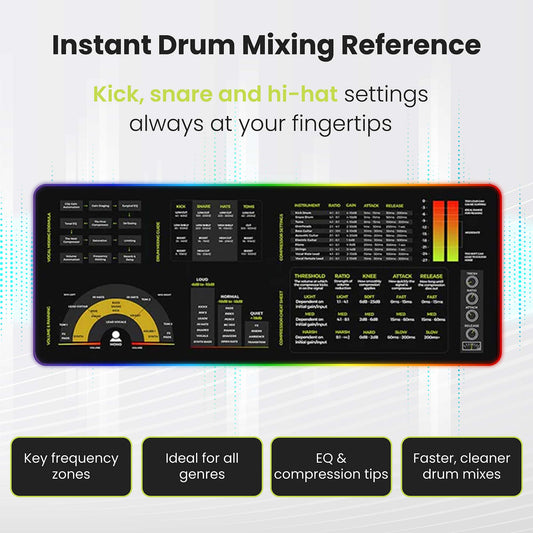
For a printed reference at your desk while you mix, the Mixing & Mastering Cheat Sheet Mousepad and the Instrument Frequency Cheat Sheet Poster put EQ ranges and compressor starting points within arm's reach.
Frequently asked
Can I mix on headphones instead of monitors?
You can, and many engineers do. Headphones remove the room from the equation, which is a real advantage in an untreated bedroom. The trade-off is stereo image — headphones place sources inside your head rather than in front of you, which makes panning and reverb decisions harder to translate. Most home studios mix on both: monitors for tonal balance, headphones for stereo detail and bass cross-checks.
Do I need acoustic treatment before buying monitors?
You need both, and the order matters less than people argue. If your budget forces a choice, buy the monitors first and treat the room incrementally: a thick rug under your feet, a thick curtain behind your back, and a single absorption panel on the front wall behind the monitors will do more than the rest of a treatment package combined.
How loud should I mix?
Quieter than you think. A reference level around 75–80 dB SPL at the listening position — measured with a free smartphone SPL meter app — keeps your ears from fatiguing and tracks the level at which the Fletcher-Munson curves are flattest, which means your tonal decisions translate better. Mixing loud is fun and produces worse mixes.
Do I need a subwoofer?
Probably not. A subwoofer extends the low end below what a 5- or 6.5-inch monitor can reproduce, but it introduces a whole new set of problems in a small room — phase cancellation with the mains, room modes around 40–80 Hz, and crossover choices that take weeks to dial in. Start with monitors, learn the room, add a subwoofer only if you find yourself routinely fixing low-end decisions after the mix leaves your studio.
What about studio monitor isolation pads?
Yes, and they are the cheapest upgrade you can make. A pair of foam pads — about €40 — sits between your monitors and the desk and decouples the cabinet from the surface, which removes the resonance that an undamped desk adds to the low end. Buy them with the monitors.