4,8/5 auf Trustpilot

Gain Staging Explained (Logic Pro Guide)
Before you start balancing, EQ’ing, or adding plugins, there’s one step you should always do first: gain staging. This ensures every track in your mix sits at a healthy, consistent level, giving you a clean foundation for the rest of your mix.
In this lesson from Mixing & Mastering Simplified, we walk through exactly how to gain stage your tracks inside Logic Pro using the Normalize Region Gain feature.
What is Gain Staging?
Gain staging means adjusting the raw volume (input gain) of each track so everything plays back at an optimal level. You're not mixing creatively yet — the goal is simply to prevent clipping, reduce distortion, and feed your plugins clean, balanced audio.
Why It Matters
• Prevents clipping and unwanted distortion
• Ensures analog-modeled plugins perform their best
• Creates consistency across your session
• Gives your mix proper headroom before mastering
• Removes guesswork when you start balancing levels
Ideal Levels
After gain staging, most tracks should sit:
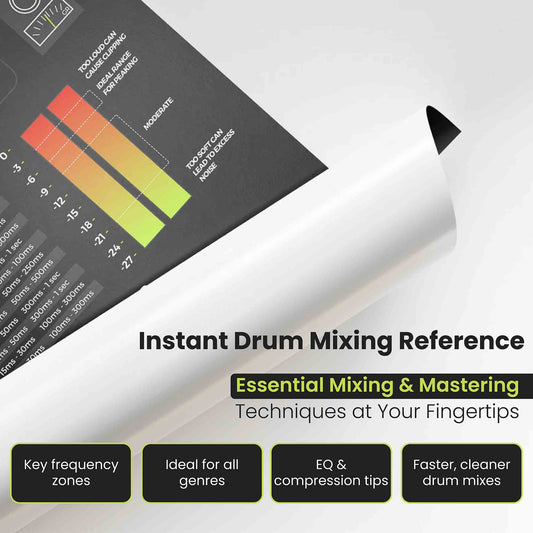
• Between –10 dB and –20 dB,
• With peaks no higher than –6 dB.
Your master output should naturally fall around –6 dBFS, leaving plenty of headroom for mastering.
How to Gain Stage in Logic Pro
-
Select all tracks in your project
-
Go to Functions → Normalize Region Gain
-
Set the Target Level to –10 dB
-
Set Process to Regions Individually
-
Set Method to Peak
-
Click Apply
Logic will process each track and automatically bring everything into a clean, consistent range.
What’s Next?
Now that your levels are balanced, your mix is ready for volume balancing, panning, and further processing.
If you’re following along with the Mixing & Mastering Simplified book, this lesson lines up with the Gain Staging chapter. You can use these videos even if you don’t have the book — but the book includes diagrams, cheat sheets, and QR-code shortcuts to each video.
📘 Get the full book here:
Mixing & Mastering Simplified