 4.8/5 on Trustpilot

"Mixing" and "mastering" get said in the same breath so often that a lot of producers assume they're the same job — or two names for the same thing. They're not. They happen at different stages, work on different material, and solve different problems. Understanding the difference is the first real step toward finishing tracks that sound professional instead of homemade.
In this guide we'll define mixing and mastering clearly, show exactly how they differ, and explain how the two stages hand off to each other. This is mixing vs mastering, simplified.

What is mixing vs mastering?
Mixing is the second-to-last stage of music production. When you make music in a DAW, every element — vocals, drums, bass, guitars, synths — lives on its own track. Mixing is the process of blending all those individual tracks into one polished, balanced, cohesive song. Think of each track as an ingredient in a recipe: to make a great dish, everything has to be in harmony. Too much of one thing throws it off; too little and it feels empty.
Mastering is the very last stage. Once your mix is complete — every track balanced and sounding great together — mastering takes that single stereo mix and prepares it for release across all platforms. Its goal is to make your song sound as good as possible everywhere: streaming, radio, clubs, earbuds, and car speakers. If mixing is blending the ingredients, mastering is the final polish on the finished dish before it's served.
The one-line version: mixing works with many individual tracks to build the song; mastering works with the one finished stereo file to perfect and protect it.
How mixing and mastering differ
The clearest way to separate the two is by what each engineer actually touches and what they're trying to achieve.

As a mixing engineer, you work across all the individual tracks that make up a song. Your job is to make every part work together in harmony — adjusting volume levels for balance, using panning to place sounds in the stereo field, shaping tones with EQ, controlling dynamics with compression, creating space with reverb and delay, and using automation to guide the listener's attention through the track.
As a mastering engineer, you're no longer working with all those individual tracks — just the final stereo mix (or stems, in some cases). Your role is to optimize overall loudness while preserving dynamics, balance the EQ so it sounds good on all playback systems, add subtle compression or limiting for cohesion, control stereo width for clarity and impact, and ensure technical standards are met for streaming, CD, or vinyl. Mastering doesn't rebuild the work — it enhances, refines, and protects it so it's ready for the world.
How the two stages work together (4-step flow)
Step 1 — Record and produce your individual tracks
Everything starts with the raw material: vocals, drums, bass, and every other element recorded or programmed onto its own track in your DAW. The quality of these sounds sets the ceiling for everything that follows — you can't polish a bad recording into greatness.
Step 2 — Mix all the tracks into one balanced song
Now you blend. Balance the levels, pan elements across the stereo field, carve out space with EQ so instruments don't clash, control dynamics with compression, and add reverb and delay for depth. The output of this stage is a single, cohesive stereo mix where every element sits right.
Step 3 — Finalize and hand off with headroom
Before mastering, finalize the mix: clean up noise, smooth fades, and leave enough headroom — your loudest peaks around -6 dB to -3 dB. Export a lossless 24-bit WAV or AIFF with normalization off. This is the handoff point: a clean, complete stereo file ready to be enhanced, not rescued.
Step 4 — Master the finished stereo file for release
Finally, mastering takes that one stereo file and prepares it for the world — subtle EQ across the whole track, gentle glue compression, a limiter for competitive loudness, and checks across multiple playback systems. The result is a polished version that translates everywhere and sits confidently next to commercial releases.
Common mistakes to avoid
- Treating mixing and mastering as one step. They're separate stages with separate goals. Trying to do both at once usually means doing neither well.
- Mastering to fix mixing problems. Mastering enhances a good mix; it can't fix an unbalanced or muddy one. Sort issues out in the mix.
- Processing individual tracks during mastering. Mastering works on the whole stereo file. If a single instrument is wrong, that's a mixing fix, not a mastering one.
- Leaving no headroom for the master. A mix slammed against 0 dB gives mastering nowhere to work. Leave -6 to -3 dB at the top.
- Chasing loudness in the mix. Loudness is mastering's job. In the mix, focus on balance and clarity, not volume.
Why the difference matters
Knowing where mixing ends and mastering begins changes how you work. It tells you which problems to solve at which stage — a harsh vocal or a clashing guitar is a mixing decision, while overall loudness and cross-system translation are mastering decisions. It stops you from wasting time trying to master your way out of a mix problem, or from overloading your mix trying to make it "finished-sounding" before it's even balanced. Most importantly, it gives your workflow a clear shape: build the song in the mix, then polish the song in the master. That structure is what separates tracks that sound intentional and professional from ones that sound like they never quite got finished.
Take it further
The full production journey — from session setup and mixing through finalizing and mastering — is walked through step by step in Mixing & Mastering Simplified, written in the exact order you'd approach a real mix.
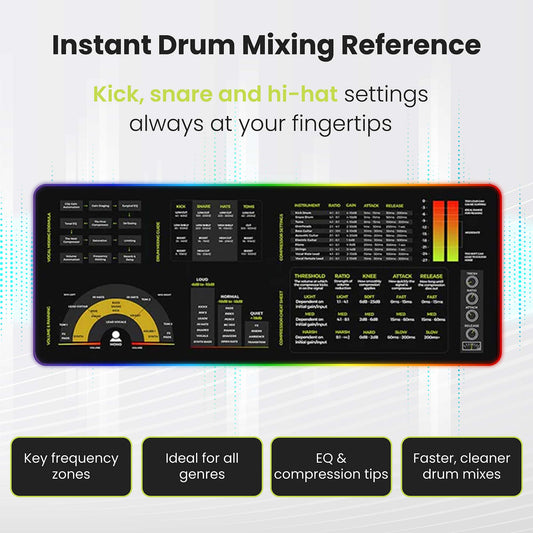
Want the whole process mapped out next to your DAW? The Mixing & Mastering Cheat Sheet Poster and Cheat Sheet Mousepad keep the mixing and mastering workflows in view while you work.
Getting your frequency balance right in the mix? The Instrument Frequency Cheat Sheet Poster shows where each instrument belongs, or get everything in the Mixing & Mastering Bundle.

Both stages — the full mixing workflow and the mastering chain that follows it — laid out visually in one book.
Get Mixing & Mastering SimplifiedFAQs about mixing vs mastering
What's the difference between mixing and mastering?
Mixing blends all the individual tracks of a song — vocals, drums, bass, and more — into one balanced stereo file, using tools like volume, panning, EQ, compression, and reverb. Mastering takes that finished stereo file and polishes it for release, optimizing loudness and tonal balance so it sounds great on every system.
Do I need to master if I've already mixed?
Yes, if you want your track to compete with commercial releases and translate well across streaming, headphones, car stereos, and phone speakers. Mixing balances the song; mastering makes that balanced song release-ready everywhere.
Can the same person mix and master a track?
Absolutely — many producers do both. Just keep them as separate stages: finish and finalize the mix first (with proper headroom), then open a fresh project to master the exported stereo file with clear, fresh ears.
Which comes first, mixing or mastering?
Mixing always comes first. It's the second-to-last stage of production. Mastering is the very last stage and only happens once the mix is complete and exported as a finished stereo file.
Can mastering fix a bad mix?
No. Mastering enhances and refines a good mix, but it can't rebuild a bad one. Problems like muddiness or imbalance get magnified during mastering, so always solve them in the mix first.
This post is part of Musiciangoods' Mixing & Mastering Simplified series — practical audio engineering, taught visually, for producers who want to understand what they're doing and why. Explore more mixing and mastering tools here.







 Guitar Chords Chart Mousepad
 Guitar Theory Simplified (Paperback/PDF)
 Bass Guitar Theory Cheat Sheet Mousepad
 Bass Theory Simplified (Paperback/PDF)
 Music Theory Simplified - (Paperback/PDF)
 Music Theory Cheat Sheet Mousepad
 Ukulele Theory Simplified (Paperback/PDF)
 Ukulele Theory Cheat Sheet Mousepad
 Guitar Theory Cheat Sheet Mousepad
 Mixing Mastering Cheat Sheet Mousepad


