4.8/5 on Trustpilot

The audio interface is the most consequential single purchase in a home studio. It decides how clean your recordings sound, how accurately you hear them played back, and how stable your DAW behaves under load. Spend the wrong €150 here and you fight your gear for years. Spend the right €150 and the rest of the studio gets easier.
The seven below are the interfaces that get recommended consistently across r/audioengineering, the major production forums, and the staff picks at independent music shops. We've kept everything under €300 because that's where the marginal value of another €100 stops being obvious, and because most first-time buyers don't need more inputs than they think.

Quick comparison
| Interface | Best for | Inputs | Price range |
|---|---|---|---|
| Focusrite Scarlett Solo (4th Gen) | Best overall, solo creators | 1 mic + 1 instrument | €120–€140 |
| Focusrite Scarlett 2i2 (4th Gen) | Vocal + guitar at the same time | 2 mic / instrument | €180–€210 |
| Universal Audio Volt 2 | Built-in vintage warmth | 2 mic / instrument | €200–€230 |
| PreSonus Studio 24c | Tightest budget | 2 mic / instrument | €110–€140 |
| MOTU M2 | Monitoring accuracy | 2 mic / instrument | €200–€240 |
| Audient EVO 4 | Absolute beginners | 2 mic / instrument | €130–€160 |
| SSL 2+ | Buy-once step-up | 2 mic / instrument + MIDI | €260–€300 |
A word on inputs and conversion before the list
Almost every bedroom producer overbuys on inputs. If you record yourself singing and playing one instrument at a time, you need two inputs. If you also want to capture a stereo synth or a podcast guest, you still need two. The four- and eight-input interfaces at this price exist for drummers and band tracking, and the extra preamps come at the cost of preamp quality. Buy two inputs unless you have a specific reason not to.
The other spec that matters is conversion. Every interface on this list runs at least 24-bit / 192 kHz with a published dynamic range above 110 dB, which means the converter is no longer the bottleneck in a bedroom setup. What separates them is preamp colour, headphone output, monitor controls, and included software.
1. Focusrite Scarlett Solo (4th Gen) — best overall for solo creators

1 XLR mic input, 1 instrument input, 1 stereo headphone output, 24-bit / 192 kHz, USB-C bus-powered, includes Focusrite Hitmaker software bundle
The Scarlett Solo has been the default first-interface recommendation across production forums for over a decade, and the 4th generation is the version most reviewers will tell you to buy in 2026. Focusrite redesigned the preamps for this generation, added an Air mode that mimics the classic ISA preamp's high-end lift, and pushed the converters to a 120 dB dynamic range — territory that used to require a €600 interface. The Hitmaker software bundle alone — Ableton Live Lite, Pro Tools Intro, three months of Splice — covers most of what a beginner needs on day one.
The single trade-off is that the Solo has one microphone input instead of two, which means you can't record yourself singing and playing guitar onto separate tracks at once. If that matters, the 2i2 (entry #2) is the call.
Best for: solo creators who record one source at a time and want the most-recommended interface in this price band with no surprises.
2. Focusrite Scarlett 2i2 (4th Gen) — best for tracking vocal and guitar at the same time

2 combo XLR / TRS inputs, 1 stereo headphone output, 24-bit / 192 kHz, 120 dB dynamic range, USB-C bus-powered, Hitmaker software bundle
The 2i2 is the bigger sibling of the Solo and the better choice the moment you want to record more than one source at a time. The two combo inputs accept both XLR mics and quarter-inch instrument cables on either channel, so you can plug a vocal mic into channel one and a guitar into channel two and capture both to separate tracks. For a singer-songwriter who wants to track a scratch vocal while playing, this is the minimum specification that works.
The 4th-generation upgrades — Air mode on both channels, improved preamps, better metering — apply equally here. Worth knowing: the 2i2's preamps have enough gain (69 dB) to drive low-output dynamic microphones like the Shure SM7B without an inline booster, which used to push singers toward Audient interfaces. That gap has closed.
Best for: singer-songwriters, podcasters with one guest, and anyone who wants the option to track stereo synths without a re-buy.
3. Universal Audio Volt 2 — best for built-in vintage warmth

2 combo XLR / TRS inputs, switchable 610 tube preamp emulation, 1 stereo headphone output, 24-bit / 192 kHz, USB-C bus-powered, Ableton Live Lite + UA plugins bundle
Universal Audio built its reputation on expensive analog preamps that sit in legendary recording studios. The Volt 2 is UA's bid to bring some of that character into the €200 band. The standout feature is a per-channel Vintage button that engages an emulation of UA's own 610 tube preamp — the same circuit Frank Sinatra recorded through — which adds a harmonic warmth that sounds like it costs more than the interface.
The Vintage mode is not a gimmick. On a clean vocal it adds a small amount of even-harmonic saturation that thickens the midrange — the kind of effect engineers usually reach for in post. Recording it at the source means one fewer plugin to apply at mix time.
The trade-off compared to the Scarlett 2i2 is fewer software perks and a slightly more idiosyncratic driver — fine on macOS, sometimes finicky on Windows. For someone who knows they want a specific tonal flavour going in, the Volt 2 is the more interesting buy.
Best for: vocalists and guitar players who want analog character at the input stage without buying outboard hardware.
Where to buy on Universal Audio →
4. PreSonus Studio 24c — best on the tightest budget

2 combo XLR / TRS inputs, MIDI in/out, 1 stereo headphone output, 24-bit / 192 kHz, USB-C bus-powered, Studio One Prime + Studio Magic software bundle
The Studio 24c is what you buy when €120 is the absolute ceiling and you still want two real preamps, MIDI I/O, and a software bundle deep enough to start producing on day one. PreSonus has been building entry-level interfaces for two decades — the gain staging is clean, the headphone output is loud enough for tracking, and the MIDI ports are a small luxury at this price that Focusrite and Audient don't include.
The Studio Magic bundle is the other reason this interface keeps appearing on shortlists. Beyond Studio One Prime — PreSonus's free DAW, which is genuinely capable — the bundle includes plugins from Eventide, Lexicon, and Brainworx that would cost more than the interface bought separately. The honest caveat is build quality: the 24c uses lighter materials than the Focusrite or UA equivalents, and the gain knobs feel less precise. For a tight budget that's the right trade-off.
Best for: first-time buyers capped at €120 who want MIDI I/O and a generous software bundle.
5. MOTU M2 — best for monitoring accuracy

2 combo XLR / TRS inputs, MIDI in/out, ESS Sabre32 converters, 1 stereo headphone output, 24-bit / 192 kHz, USB-C bus-powered, Ableton Live Lite + MOTU plugin bundle
MOTU is the legacy pro-audio name on this list, and the M2 is the company's bid for the bedroom-producer market. What separates it from the Focusrites and PreSonus is the converter chip — the ESS Sabre32, the same family found in €800+ mastering interfaces. In published spec comparisons, the M2's converter sits noticeably above the rest of this list in measured dynamic range and below them in measured distortion at the same gain.
For tracking, the difference is small enough that most people won't hear it. For mixing, better converters mean you trust the speakers more, which means fewer wrong decisions per session. The big front-panel LED meters are the secondary reason engineers gravitate to the M2: they let you set levels by eye instead of by software meter. The trade-off is a thinner software bundle than Focusrite or PreSonus.
Best for: bedroom producers who plan to spend most of their session time mixing rather than tracking, and want pro-tier conversion at this price.
6. Audient EVO 4 — best for absolute beginners

2 combo XLR / TRS inputs, 1 stereo headphone output, Smartgain automatic level-setting, 24-bit / 96 kHz, USB-C bus-powered, includes EVO recording software bundle
The EVO 4 is the only interface on this list designed specifically for people who have never used one before. Audient's Smartgain feature is the headline: press a button, sing or play your loudest passage for a few seconds, and the interface sets your input level for you. For a first-time recorder who doesn't yet know what a "clipping" peak looks like, that one feature removes the most common source of unusable takes.
Audient is the same company that builds the €3,000 ASP880 preamp, and the EVO 4's preamps share that circuit topology — quieter and more accurate than most interfaces in this band, which means low-output dynamic microphones like the SM7B work without external help. The minimalist single-knob front panel is occasionally criticized for being slow once you know what you're doing, which is true — but for someone learning, fewer controls to misconfigure is a feature. Sample-rate ceiling is 96 kHz instead of 192 kHz, a non-issue for music production.
Best for: absolute first-time recorders who want the interface to handle level-setting until they know what they're doing.
7. SSL 2+ — best buy-once step-up under €300

2 combo XLR / TRS inputs, 2 headphone outputs, switchable 4K analog enhancement, MIDI in/out, 24-bit / 192 kHz, USB-C bus-powered, includes SSL plugin bundle
Solid State Logic built the analog consoles that recorded every major pop record of the past forty years. The SSL 2+ is the closest thing on this list to a "buy once, replace never" purchase under €300. The 4K analog enhancement button engages a circuit that mimics the high-end air and low-end weight of the SSL 4000 console, which is the sound most professional pop records owe a piece of their character to.
The features that justify the price over the Scarlett 2i2 are practical. Two headphone outputs let you record with a collaborator without splitting a single output. MIDI in/out covers external keyboards without an adapter. The 4K mode adds a preamp colour you'd otherwise replicate with a plugin at mix time. The included SSL Native Vocalstrip 2 and Drumstrip plugins are worth more than €100 separately.
Best for: committed bedroom producers who would rather spend €280 once than €180 now and €350 in two years.
How to choose between them
Under €140, the choice is between the Scarlett Solo (the safest single-input buy) and the PreSonus Studio 24c (two inputs and MIDI for the same money, in exchange for slightly less polish). If you only record one thing at a time, the Solo. If you ever want two inputs or MIDI, the 24c.
At €180–€230 the field is the Scarlett 2i2 (the most recommended two-input interface, period), the UA Volt 2 (same money, with analog character built in), the MOTU M2 (best converters at the price), and the Audient EVO 4 (best for absolute beginners). Pick by feature: 2i2 for safety, Volt 2 for character, M2 for monitoring, EVO 4 for ease.
At €260–€300, the SSL 2+ is the buy-once step-up. It costs €100 more than the 2i2 and offers the SSL preamp character, two headphone outputs, MIDI I/O, and a plugin bundle that pays back the difference within a year.
Two things to avoid regardless of pick. Don't buy a four- or eight-input interface unless you have a documented need for the extra inputs — the preamps in the budget multi-channel models are noticeably weaker than the two-input equivalents. And don't buy used from a private seller without checking the driver compatibility with your current operating system; some older interfaces have stopped receiving driver updates and may not work on the latest macOS or Windows release.
What to do once you have the interface
The interface is the easy decision. The harder one — and the one most beginners never resolve cleanly — is what to do with the audio once it lands in your DAW. EQ, compression, de-essing, reverb, the order they sit in, the settings that work for which source: the wrong sequence makes pro plugins sound thin. The right sequence makes stock plugins sound like a record.
We wrote Mixing & Mastering Simplified as the book we wished existed when we set up our first home studio: a full-colour, diagram-driven walk through EQ ranges, compressor settings tables for every common source, the canonical vocal chain, and a step-by-step approach to mastering. It pairs naturally with any of the seven interfaces on this list.
View Mixing & Mastering Simplified →
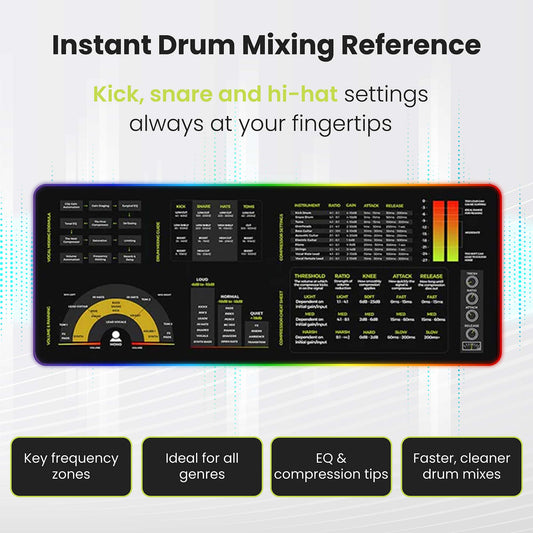
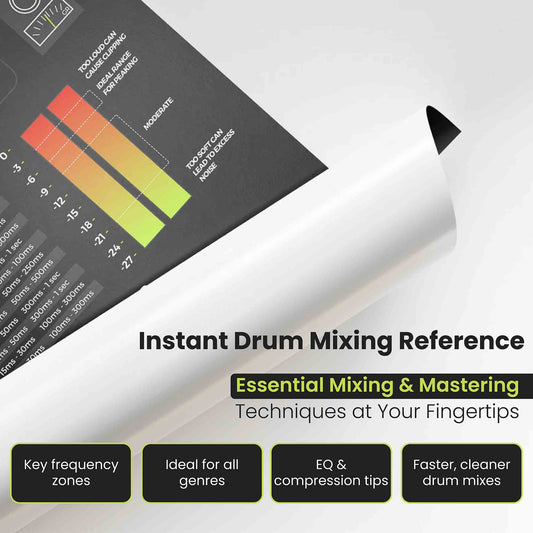
For a printed reference at your desk, the Mixing & Mastering Cheat Sheet Mousepad and the Instrument Frequency Cheat Sheet Poster put EQ ranges and compressor starting points within arm's reach during a mix.
Frequently asked
Do I need an audio interface to record at home?
If you want to record an external microphone or a real instrument into a DAW, yes. A laptop's built-in audio circuit is designed for hands-free calls, not for tracking music, and its preamps add audible noise on anything quieter than spoken voice. A USB microphone is the only legitimate alternative for spoken word, podcasts, or absolute-beginner songwriting demos — but the moment you want to capture a second source or use studio monitors, you need an interface.
USB-C, USB-A, or Thunderbolt for a home studio?
USB-C is the right call for a 2026 purchase. Every interface on this list is USB-C and ships with both USB-C and USB-A cables, so the interface works on a brand-new MacBook and a decade-old desktop PC. Thunderbolt interfaces are excellent but start above €500, and the latency advantage is invisible at bedroom-producer input counts.
How many inputs do I really need?
Two, almost certainly. A solo songwriter benefits from a second input when capturing a scratch vocal during a guitar take. A podcaster with one in-room guest needs two. A producer working with virtual instruments needs zero hardware inputs but still benefits from two for occasional vocal or guitar capture. Four- and eight-input interfaces at this price sacrifice preamp quality for input count.
What about phantom power and condenser microphones?
Every interface on this list provides 48 V phantom power on both XLR channels, which is what condenser microphones need. The button is usually labelled "48V" on the front panel. Engage it only when a condenser is plugged in — dynamic microphones don't need it, and ribbon microphones can be damaged by it.
Do I need studio monitors, or are headphones enough?
For tracking and learning, a single pair of closed-back headphones is enough. For mixing — especially mixing that you intend other people to hear — monitors are the bigger jump. They let you hear how a mix interacts with room acoustics, which is closer to how listeners will eventually hear it.