4.8/5 on Trustpilot

Open any professional mix and it can feel like a hundred decisions happening at once. But underneath all the plugins and knobs, every great mix is really just balancing three things: tone, dynamics, and space. Once you can hear a mix in these three dimensions, the whole process stops feeling random and starts feeling like a map you can actually follow.
This guide breaks down the three dimensions of a great mix — what each one is, which tools shape it, and how to balance all three so your tracks sound clear, punchy, and three-dimensional. This is mixing, simplified.

What are the 3 dimensions of a mix?
At its core, mixing is about balancing three essential dimensions of sound. Get all three working together and a mix sounds clear, powerful, and immersive. Neglect one and the whole thing feels flat, muddy, or lifeless — no matter how good the individual sounds are.
The three dimensions are tone (the frequency spectrum), dynamics (the volume range), and space (stereo width and depth). Think of them as three separate views of the same song. A mixing engineer is constantly moving between these views, making sure each one is balanced without knocking the others out of alignment.
How the three dimensions work
Each dimension answers a different question about your mix — where sounds sit in frequency, how loud they get, and where they're placed in the room.

Tone — the frequency spectrum. Tone covers everything we can hear, from the deep thump of low bass around 20 Hz to the airy sparkle of highs near 20 kHz. Every sound occupies its own space in this spectrum, and we shape it with EQ. EQ can brighten vocals, add warmth to bass, or remove harshness from cymbals. Think of it as sculpting vibrations: higher frequencies vibrate faster, lower ones slower. Knowing where each instrument sits helps you create clarity and avoid frequency clashes.
Dynamics — the volume range. Dynamics are the difference between the quietest and loudest parts of your song — what gives music its energy, punch, and balance. The main tools are the volume fader (your single most important mixing tool), compression (to control peaks and smooth out a performance), and limiting (to prevent overload). The goal is to keep levels balanced so nothing is lost or overpowering, while preserving the natural movement of the track.
Space — stereo width and depth. Space is what makes a mix feel three-dimensional and immersive — the sense of environment and placement your ears perceive. We create it with reverb (to simulate room reflections) and delay (to add depth and movement), along with panning to position sounds left to right. These tools can make a track feel intimate and close or wide and expansive, depending on the mood you want.
How to balance all three (4-step plan)
Step 1 — Start with dynamics: balance your levels
Before reaching for any plugins, get your volume balance right with the faders. This is the foundation. Make sure each element sits at the right level relative to the others so nothing is buried and nothing overpowers. Many "EQ problems" disappear once the levels are actually balanced.
Step 2 — Shape tone with EQ
Now address the frequency spectrum. Use EQ to give each instrument its own lane — brighten what's dull, tame what's harsh, and cut competing frequencies so sounds stop clashing. The aim is clarity: every element audible and distinct, without two instruments fighting over the same range.
Step 3 — Add space with panning, reverb, and delay
With levels and tone in place, build the third dimension. Pan elements across the stereo field so they're not all stacked in the center, then use reverb and delay to create depth — pushing some sounds back and keeping others up front. This is where a flat, two-dimensional mix becomes immersive.
Step 4 — Check against a reference track
Finally, compare your mix to a professionally produced reference in the same style. A reference track is your sonic compass: it lets you hear all three dimensions in action and gives you a clear target for tone, dynamics, and space. Just compare like with like — an 808-driven track won't match a vintage acoustic kit, so choose a reference built from similar tools.
Common mistakes to avoid
- Reaching for EQ before balancing levels. Many tonal issues are really volume issues. Set your faders first, then shape tone.
- Ignoring the space dimension. A mix with no panning, reverb, or depth sounds flat and crowded, even if the tone and levels are fine.
- Over-compressing and killing dynamics. Squashing everything removes the punch and energy that dynamics are supposed to provide. Preserve the natural movement.
- Letting instruments clash in the same frequency range. If two sounds fight for the same spot in the spectrum, both lose clarity. Use EQ to give each its own lane.
- Mixing without a reference. Without a professional benchmark, you have no reliable target for how balanced your three dimensions should be.
Why the three dimensions matter
Balancing tone, dynamics, and space is the core of every professional mix — it's the framework underneath every EQ move, fader ride, and reverb send. Thinking in these three dimensions gives you a way to diagnose any mix that isn't working: if it sounds muddy, that's usually tone; if it sounds flat or lifeless, that's usually dynamics; if it sounds crowded and small, that's usually space. Instead of guessing which plugin to grab, you can ask which dimension is out of balance and go straight to the right tool. That clarity is what turns mixing from trial-and-error into a repeatable process you can trust on every track.
Take it further
Each of these three dimensions gets its own deep dive — with clear explanations, visuals, and practical tips — in Mixing & Mastering Simplified, written in the same clear style as this post.
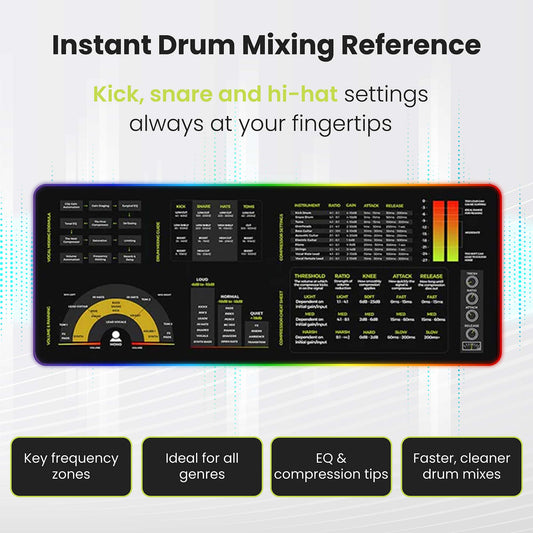
Want the framework and its tools next to your DAW? The Mixing & Mastering Cheat Sheet Poster and Cheat Sheet Mousepad keep tone, dynamics, and space tools in view while you work.
For the tone dimension specifically, the Instrument Frequency Cheat Sheet Poster maps exactly where every instrument sits in the spectrum. Or grab everything in the Mixing & Mastering Bundle.

Tone, dynamics and space — each dimension gets its own chapter, with the tools, the settings and the visuals laid out step by step.
Get Mixing & Mastering SimplifiedFAQs about the 3 dimensions of mixing
What are the three dimensions of a mix?
Tone (the frequency spectrum, shaped with EQ), dynamics (the volume range, shaped with faders, compression, and limiting), and space (stereo width and depth, shaped with panning, reverb, and delay). Balancing all three is the core of a professional mix.
Which dimension should I work on first?
Start with dynamics by balancing your levels with the faders — it's the foundation. Then shape tone with EQ, and finally build space with panning, reverb, and delay. Reference against a professional track throughout.
What tools control each dimension?
Tone is controlled with EQ. Dynamics are controlled with the volume fader, compression, and limiting. Space is created with reverb, delay, and panning. Each dimension has its own dedicated set of tools.
Why does my mix sound flat?
A flat mix usually means the space dimension is missing — little or no panning, reverb, or depth — or that over-compression has drained the dynamics. Add stereo placement and depth, and preserve the volume range between quiet and loud sections.
How does a reference track help with the three dimensions?
A reference track lets you hear balanced tone, dynamics, and space in a professional production, giving you a clear target for your own mix. Just compare like with like — match the reference to your genre and instrumentation.
This post is part of Musiciangoods' Mixing & Mastering Simplified series — practical audio engineering, taught visually, for producers who want to understand what they're doing and why. Explore more mixing and mastering tools here.