4,8/5 sur Trustpilot

After an hour of mixing, your ears lie to you. Everything starts sounding "fine," your low end creeps up, your vocals drift back, and you lose all sense of what a finished, professional record actually sounds like. A reference track is the cure — a song you already know is great, sitting right inside your session, giving you an honest measuring stick whenever your ears get tired.
In this guide we'll explain what a reference track is, why it keeps your perspective honest, how to set one up correctly in your DAW, and how to use it to A/B your mix toward a professional result.

What is a reference track?
A reference track is a professionally mixed and mastered song — similar in style to yours — that you import into your session to compare against. Think of it as a measuring stick for your mix: it helps you compare your track's volume relationships, tonal balance, and overall energy to something that's already proven to sound great.
You use it most during volume balancing, the stage where you set your faders to create a clear, cohesive static mix. Bringing in a reference at this point answers the questions your tired ears can't: it shows you what "finished" is supposed to sound like, so you're aiming at a real target instead of guessing in the dark.
How a reference track keeps you honest
The reason a reference track works is simple: it fights ear fatigue and tunnel vision. The longer you mix, the more your brain adapts to whatever you're hearing — flaws start sounding normal. A reference snaps you back to reality instantly.
Used during volume balancing, a reference helps answer important questions like:
- How loud is the kick compared to the bass?
- How forward are the vocals compared to the instruments?
- Are supporting elements like keys, guitars, and percussion tucked into the background or sitting more upfront?
- Does my mix feel as balanced and full as the reference?
These are relationships, not absolute numbers — and they're exactly the things that are hardest to judge from inside your own mix. The reference gives you an external, trustworthy answer.
A reference also keeps your tonal balance in check. If your mix sounds boomy or harsh next to the reference, you'll hear it instantly — the contrast exposes a bloated low end or brittle highs that you'd otherwise miss after staring at the same waveforms for an hour. The same goes for stereo width and depth: comparing against a finished record tells you whether your mix is too narrow, too wide, too dry, or too washed out. None of these are obvious in isolation, but they jump out the moment you A/B.

How to use a reference track in your DAW (a 4-step plan)
Step 1 — Import the track
Add your reference song to a separate stereo audio track in your project. Pick something in the same style as what you're mixing — the closer the genre and arrangement, the more useful the comparison.
Step 2 — Match the volume
This step is critical. Most reference tracks are already mastered and therefore much louder than your unmastered mix. Reduce the reference track's volume until it matches the loudness of your mix. If you skip this, the louder track will always sound "better" simply because it's louder, and the comparison becomes useless. Our ears are wired to prefer whatever is louder — a well-documented bias — so volume-matching is the single most important habit for honest referencing. Trust your ears only after the levels are even.
Step 3 — A/B compare often
Regularly switch between your mix and the reference while you adjust levels. Listen closely for clarity, balance, and how each element sits in the mix. Toggle back and forth frequently — the contrast reveals problems you'd never notice listening to your mix alone.
Step 4 — Build your static mix against it
Use the reference as your target while you build the mix. Loop the busiest section of your song (usually the chorus), pull all faders down, then bring in your most important element first — the lead vocal, drums, or main instrument — aiming for peaks around -12 to -6 dB. Then bring in supporting elements one at a time, checking each against the reference so nothing overpowers the focus.
Common mistakes to avoid
- Not volume-matching the reference. A mastered reference is louder than your mix, and louder always sounds better. Turn the reference down to match your mix's loudness, or the comparison is meaningless.
- Choosing a reference in the wrong style. Comparing a sparse acoustic song to a dense electronic track gives misleading targets. Pick a reference that matches your genre and arrangement.
- Copying the reference exactly. A reference is a guide, not a template. Use it to check balance and energy, but keep your own creative identity — every song is unique.
- Only checking once. A single comparison at the start isn't enough. A/B regularly throughout the mix to keep your perspective from drifting.
- Referencing on tired ears only. A reference helps, but it's not a substitute for breaks. Combine regular A/B checks with rest so your ears stay reliable.
Why a reference track matters
A reference track keeps your mix competitive and grounded in reality. By checking against a professional release often, you maintain perspective and make sure your track is balanced, full, and ready to stand alongside other songs in its genre. Using one gives you:
- An honest target for volume relationships, tone, and energy, instead of guesswork.
- Protection against ear fatigue and the slow drift that creeps into long sessions.
- Confidence that your finished mix will hold up next to the records your listeners already love.
Take it further
Using a reference track is part of the full volume-balance chapter — alongside building a static mix, track stacks, and finding the right balance — all covered visually in Mixing & Mastering Simplified.
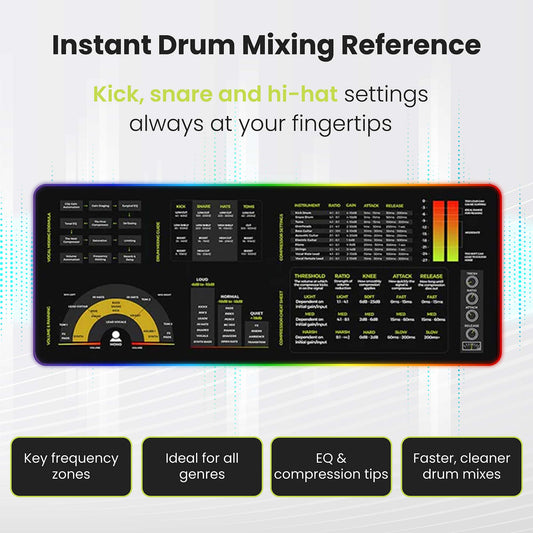
Want the balancing targets and workflow at your desk? The Mixing & Mastering Cheat Sheet Poster and Cheat Sheet Mousepad keep level targets and signal-flow reminders within reach while you mix.
Pair them with the Instrument Frequency Cheat Sheet Poster for EQ reference alongside your balance, or grab everything together in the Complete Mixing & Mastering Bundle.

FAQs about reference tracks
What is a reference track in mixing?
A reference track is a professionally mixed and mastered song, similar in style to yours, that you import into your session to compare against. It acts as a measuring stick for volume relationships, tonal balance, and overall energy while you mix.
Why do I need to turn the reference track down?
Reference tracks are mastered and therefore louder than your unmastered mix. Louder always sounds better, so if you don't match the reference's volume to your mix, it will always seem superior and your comparison won't be accurate. Reduce its level to match your mix.
How do I choose a good reference track?
Pick a professionally released song in the same genre and with a similar arrangement to what you're mixing. The closer the style, the more useful the comparison for judging balance, energy, and how elements should sit.
When should I use a reference track?
Most usefully during volume balancing, when you're setting fader levels and building your static mix. Keep it in the session and A/B against it regularly throughout the whole mix to maintain perspective.
Should I try to make my mix sound exactly like the reference?
No. A reference is a guide, not a template. Use it to check whether your balance, energy, and fullness are on track, but keep your own creative identity. Every song is unique, and copying a reference exactly defeats the purpose.
This post is part of Musiciangoods' Mixing & Mastering Simplified series — practical production technique, taught visually, for musicians who want to shape their sound with confidence. Explore more mixing and mastering tools here.