 4,8/5 su Trustpilot

A MIDI keyboard is the single piece of hardware that turns a laptop into a real instrument. Plug one in, open a virtual instrument, and you have access to thousands of pianos, synths, strings, drums, and choirs without owning any of them physically. For someone learning music theory, the visual layout of a keyboard is also the fastest way to see what a chord, a scale, or an interval actually looks like.
The seven controllers below are the ones that get recommended consistently across r/edmproduction, r/musicproduction, and the staff picks at independent music shops. We've kept everything under €300 because that's the range where almost every first-time buyer should be shopping, and because the controllers above that price are built for performers and professional composers, not for the bedroom producer learning their first I-IV-V-vi progression.

Quick comparison
| Keyboard | Best for | Keys | Price range |
|---|---|---|---|
| Akai MPK Mini MK3 | Best overall, most portable | 25 mini | €90–€120 |
| Arturia MiniLab 3 | Best software bundle | 25 mini | €100–€130 |
| Novation Launchkey Mini MK4 (37) | Best for Ableton Live | 37 mini | €150–€180 |
| Native Instruments M32 | Best for Komplete users | 32 mini | €130–€160 |
| Alesis V49 MK2 | Tightest budget, full size | 49 full | €100–€130 |
| Arturia KeyLab Essential 49 MK3 | Best for composing chord progressions | 49 semi-weighted | €220–€260 |
| M-Audio Hammer 88 | Best for piano-first learners | 88 fully weighted | €280–€320 |
A word on key count and key feel before the list
The two specs that decide whether a MIDI keyboard helps or frustrates you are the number of keys and how the keys feel under your fingers. Almost every other feature on the box — pads, knobs, faders, screens — is secondary.
For key count, the honest answer is that 25 keys is enough to write almost any modern pop, hip-hop, or electronic song one hand at a time, and 49 keys is the minimum if you want to play with both hands the way a pianist does. Mini keys are roughly two-thirds the width of a piano key — fine for sketching ideas and bass lines, awkward for two-handed chord voicings. Full-sized keys cost more space and more money but transfer directly to a real piano if you ever sit down at one.
For key feel, there are three families. Synth-action keys are light and springy and live on the small portable controllers below. Semi-weighted keys add resistance and are the most common choice on 49-key controllers — closest to an organ. Fully weighted hammer-action keys mimic an acoustic piano and are the only feel that builds real piano technique. Pick the lightest feel that doesn't get in your way.
1. Akai MPK Mini MK3 — best overall and most portable

25 mini velocity-sensitive keys, 8 backlit MPC pads, 8 endless knobs, 4-way thumbstick, arpeggiator, USB bus-powered, includes MPC Beats + Hybrid 3 + AIR plugin bundle
The MPK Mini has been the default first-controller recommendation for over a decade, and the MK3 is the version most reviewers will tell you to buy in 2026. It survives in that slot because Akai got the proportions right: it fits in a laptop bag, the keys are big enough to play chords with, the eight backlit pads are responsive enough for finger drumming, and the eight assignable knobs cover almost any virtual instrument you load. The OLED screen at the top tells you what you are adjusting without forcing a glance at the laptop.
The included software bundle alone covers the first six months of bedroom production. MPC Beats is a usable free DAW oriented around the pad workflow, Hybrid 3 is a respectable analog-style synth, and the AIR plugin suite includes a piano, a bass, and a string section that sound good enough to release. The only honest trade-off is that mini keys make two-handed playing awkward, which is the entire reason to consider any of the larger controllers below.
Best for: first-time buyers who want the most-recommended controller, lap-or-desk portability, and a software bundle that does not require a single additional purchase.
2. Arturia MiniLab 3 — best for software bundle value

25 slim velocity-sensitive keys, 8 RGB-backlit pads, 8 rotary encoders, 4 faders, two capacitive touchstrips, USB-C, includes Analog Lab Intro + Ableton Live Lite + Native Instruments The Gentleman piano
The MiniLab 3 is the controller you buy when the software bundle is at least as important as the hardware. Analog Lab Intro is the headline: a curated subset of Arturia's V Collection, containing presets from emulations of the Moog Modular, the Roland Jupiter-8, the Yamaha CS-80, the Wurlitzer, and the Rhodes — instruments that defined entire eras of recorded music and cost tens of thousands of euros to own physically. Used at the front of a synth-driven track, Analog Lab covers most sound-design needs out of the box.
The hardware is a small step down from the Akai. The slim keys are slightly smaller and slightly less satisfying, the pads are a touch less expressive, and the build is plastic where the Akai is plastic-but-feels-firmer. What you get in return is a quieter, cleaner aesthetic and arguably the best DAW integration in the category through Arturia's own Analog Lab software. The two capacitive touchstrips instead of a pitch and mod wheel are a love-or-hate decision — most buyers come around to them within a week.
Best for: producers who want a vault of vintage synth and electric-piano sounds bundled with the controller, and who prefer Arturia's software ecosystem to Akai's.
3. Novation Launchkey Mini MK4 (37) — best for Ableton Live

37 mini velocity-sensitive keys, 16 RGB pads, 8 encoders, dedicated scale and chord modes, two-octave arpeggiator, USB-C, includes Ableton Live Lite + Splice and Klevgrand plugin bundle
Novation builds Launchpad, the grid controller that effectively defines Ableton Live's session-view workflow, and the Launchkey Mini inherits that integration. In Ableton, the 16 pads automatically map to the clip-launch grid, the encoders auto-map to whatever device is selected, and the transport buttons control record, play, and quantise without configuration. For an Ableton user the result is a workflow that feels native to the DAW in a way no other controller in this band matches.
The 37-key version is the one to consider over the 25-key. The extra octave is the difference between sketching a left-hand bass line under a right-hand chord and constantly capoing your playing into a single octave. The scale-and-chord modes are the other reason this controller is so often the answer for a producer who does not yet know much theory: enable the scale mode and the controller will not let you play a wrong note, enable the chord mode and a single key triggers a full diatonic chord. Used as training wheels these are excellent. Used as a crutch they become a problem.
Best for: Ableton Live users, and beginners who want scale and chord modes that fill in the theory while they learn it.
4. Native Instruments Komplete Kontrol M32 — best for the NI ecosystem

32 mini keys, 8 touch-sensitive endless knobs, OLED display, NKS browser integration, four-direction nav, USB bus-powered, includes Komplete Start (2,000+ presets) and Maschine Essentials
The M32 is the entry point into Native Instruments' Komplete ecosystem, and that ecosystem is the reason to buy it. NKS — Native Kontrol Standard — is a tagging system that lets the M32 browse and load presets from any compatible plugin without touching the laptop. Tap the browse button, scroll with the encoder, audition sounds with the keys, and load one — all without leaving the keyboard. For producers who already own Komplete or plan to upgrade, this single feature collapses an entire phase of the writing process.
The trade-off is that the M32 is the most under-stated controller on this list. There are no pads, no faders, no joysticks — only the keys, the knobs, and the browser. For someone whose workflow involves a lot of finger-drumming, the absence of pads is a real cost. For someone who writes by browsing presets and adjusting one parameter at a time, the focused layout is the point.
Best for: current and future Native Instruments Komplete owners, and writers who would rather audition twenty patches than program one drum pattern.
Where to buy on Native Instruments →
5. Alesis V49 MK2 — best on the tightest budget

49 full-sized velocity-sensitive synth-action keys, 8 backlit pads, 4 assignable knobs, pitch and modulation wheels, sustain pedal jack, USB bus-powered, includes MPC Beats + 60 lesson Melodics trial
The V49 MK2 is the answer when €120 is the ceiling and full-sized keys are non-negotiable. Forty-nine real keys on a controller this cheap is genuinely unusual — most competitors at this price use mini keys to hit the price point. The keys themselves are basic synth-action with light resistance and average velocity sensitivity, but they are the right width for two-handed playing and they connect a bedroom producer to a real piano in a way mini keys never quite do.
The rest of the spec is best understood as adequate-for-the-price rather than impressive. The eight pads work but are noticeably less responsive than the Akai's. The four knobs cover basic parameter control but lack the precision of endless encoders. The build is plastic and the keybed has a slight wobble that better controllers do not. Bought for what it is — the cheapest path to a real-width keybed — the V49 MK2 is excellent. Bought as a step-up from a Mini, it will disappoint.
Best for: tight-budget buyers who care more about full-sized keys than about pads, software, or build quality.
6. Arturia KeyLab Essential 49 MK3 — best for composing chord progressions

49 semi-weighted velocity-sensitive keys with aftertouch, 9 faders, 9 encoders, 8 RGB pads, LCD display, chord and arpeggiator modes, USB-C, includes Analog Lab Intro + Ableton Live Lite + Native Instruments The Gentleman
The KeyLab Essential 49 MK3 is where the price curve begins to bend toward instruments that feel like real keyboards. The semi-weighted keys add the resistance that synth-action lacks, the aftertouch lets a held note swell with extra pressure, and the keybed width is finally the standard 49 you would find on a stage keyboard. For a producer who has outgrown a mini controller and wants a single keyboard that will not need replacing for years, this is the recommendation.
The eight pads, nine faders, and nine encoders are the other reason this controller earns the upgrade. The faders map automatically to the mixer in most DAWs, which means a hand on the faders during playback is the difference between mixing with a mouse and mixing with your fingers. The chord and arpeggiator modes are present and useful, and the bundled Analog Lab Intro is the same vault of vintage synth and electric-piano sounds that ships with the MiniLab. The trade-off is footprint: this is a controller that needs a permanent desk space.
Best for: producers ready to compose with two hands and mix with faders, and who want one controller that covers writing and mixing.
7. M-Audio Hammer 88 — best for piano-first learners

88 fully weighted hammer-action keys, pitch and modulation wheels, volume slider, transport buttons, three pedal inputs, USB bus-powered, includes MPC Beats + Mini Grand + Velvet + DB-33 piano and electric-piano instruments
The Hammer 88 is the controller you buy when piano technique matters at least as much as production. Fully weighted hammer-action keys mimic an acoustic piano's resistance — heavier in the low end, lighter in the high end — which is the only key feel that builds the finger strength a pianist actually needs. Practicing scales, two-handed Bach inventions, or a Chopin nocturne on this controller is genuinely close to practicing them on a digital piano costing twice as much.
The compromise compared to a dedicated digital piano is the absence of internal sounds and built-in speakers — this is purely a controller, so a laptop and a virtual instrument are always part of the chain. The bundled M-Audio piano libraries are good enough to start with, but the natural pairing is a serious sampled-piano plugin such as Spitfire's free LABS, Modartt Pianoteq, or Native Instruments Noire. The other compromise is footprint: 88 keys is around 1.3 metres of desk, which makes this the only controller on the list that needs a dedicated stand or a long desk.
Best for: buyers who want to learn piano in parallel with producing, and who are willing to give up portability for the real key feel.
How to choose between them
Under €130 with mini keys, the choice is between the Akai MPK Mini MK3 (the safest single buy, deepest pad workflow) and the Arturia MiniLab 3 (better software, slightly less satisfying hardware). If you finger-drum, the Akai. If you sound-design with vintage synths, the MiniLab.
Under €130 with full-sized keys, the only credible answer is the Alesis V49 MK2. It gives up build, pads, and software polish to put 49 real keys in front of you for the price of a 25-key controller — exactly the right trade for someone who already knows they will play with two hands.
In the €130–€180 mini-key band, pick by DAW and ecosystem. The Novation Launchkey Mini MK4 (37) is the right answer for Ableton Live users and for beginners who want scale-mode training wheels. The Native Instruments M32 is the right answer for anyone in the Komplete world or planning to enter it.
At €220–€320, the Arturia KeyLab Essential 49 MK3 is the all-rounder upgrade for composers, and the M-Audio Hammer 88 is the dedicated piano-first pick. They solve different problems — pick by whether the priority is writing or playing.
Two things to avoid regardless of pick. Don't buy a controller without trying the keybed in a shop if you possibly can — every brand's mini keys feel slightly different, and a thirty-second test prevents months of frustration. And don't pay extra for a controller that includes built-in sounds unless you've decided you want a stage piano — for a desk controller, internal sounds add weight, cost, and complexity you won't use.
What to do once you have the keyboard
The keyboard is the easy decision. The harder one — and the one most beginners never resolve cleanly — is what to actually play on it. A keyboard is just a row of notes until you understand which combinations of notes belong to which key, which chords sound like home and which sound like tension, and which scale runs underneath a given chord progression. That is what music theory is for, and a keyboard is the single best instrument for learning it because the layout shows you the answer.
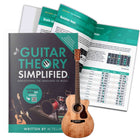
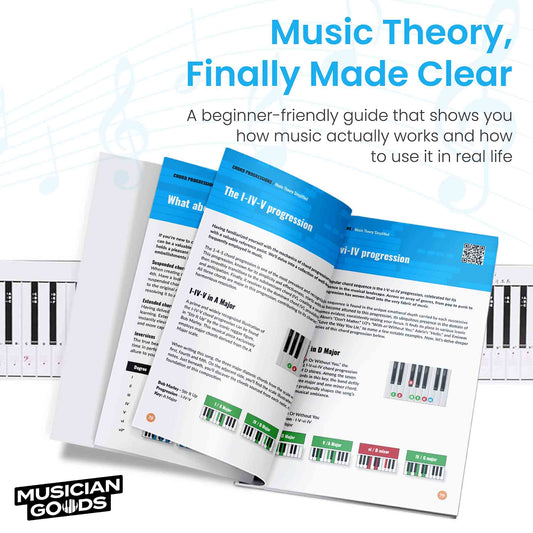
We wrote Music Theory Simplified as the book we wished existed when we bought our first MIDI controller: a full-colour, diagram-driven walk through intervals, scales, chord construction, common progressions, and how to use them in writing your own songs. It is the most natural companion to any of the seven keyboards on this list.

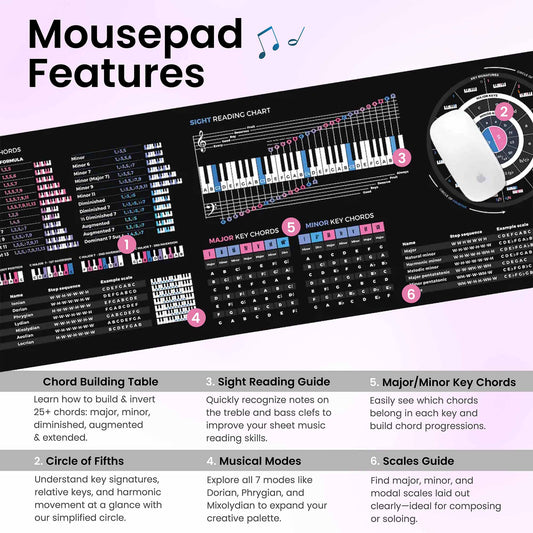
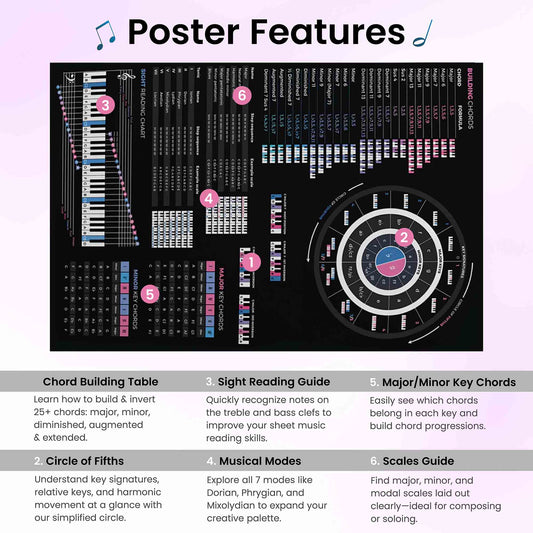
For a printed reference at your desk, the Piano Scales & Chords Chart Poster and the Music Theory Cheat Sheet Poster put scale shapes and chord formulas within arm's reach while you play.


Frequently asked
Do I need a MIDI keyboard to make music on a laptop?
Strictly speaking, no — you can draw notes into a piano roll with a mouse, and many electronic producers do exactly that. In practice, a small MIDI keyboard is the single piece of hardware that most reliably speeds up writing, because hearing what you play in real time is faster than guessing-and-correcting in a grid. For melodic genres — pop, hip-hop, R&B, soundtrack — a keyboard is close to essential. For grid-locked techno or trap, it is a strong nice-to-have.
Is 25 keys enough, or do I need 49 or 88?
Twenty-five keys is enough to write almost any pop, hip-hop, or electronic track one hand at a time. The right-hand chord, the left-hand bass, the lead line, the pad — all fit comfortably in two octaves with the octave shift buttons. Forty-nine keys is the minimum if you want to play with both hands the way a pianist does, with a left-hand bass line under a right-hand voicing. Eighty-eight keys is for buyers who want piano technique alongside production. There is no wrong answer — only a wrong answer for your specific workflow.
What is the difference between synth-action, semi-weighted, and weighted keys?
Synth-action keys are light and springy, designed for fast playing on synthesizers. Semi-weighted keys add a small amount of resistance that feels closer to an organ. Fully weighted hammer-action keys mimic an acoustic piano with heavier resistance in the bass register and lighter resistance in the treble. The lighter the action, the faster electronic-style playing feels. The heavier the action, the more it builds real piano technique. Most bedroom producers are happy with synth-action or semi-weighted.
Do I need pads, knobs, and faders, or just keys?
Pads are useful for finger-drumming and triggering one-shot samples — if you make beats, you want pads. Knobs are useful for tweaking synth parameters in real time without reaching for the mouse — if you sound-design, you want at least four. Faders are useful for mixing — if you produce full songs, faders save time. A buyer focused purely on playing melodies and chords can ignore all three and buy a keys-only controller, but most producers eventually find the extra controls earn back their cost.
Will a MIDI keyboard work with GarageBand, Logic, Ableton, FL Studio, and Pro Tools?
Yes. Every controller on this list is class-compliant USB-MIDI, which means any major DAW will recognise it without a driver install. Some controllers add deeper integration with specific DAWs — Novation with Ableton, Native Instruments with Maschine — but the basic keyboard-plays-notes functionality is universal. Plug in, open the DAW, select an instrument track, and play.
How long should a MIDI keyboard last?
Mechanically, a well-made controller will last a decade of bedroom use. The more common reason to replace one is changing needs — a producer who started with 25 mini keys and discovered they write better with two hands will eventually want 49 semi-weighted keys, not because the first controller broke but because it no longer fits the work. Buying once at the right size is cheaper than upgrading twice.